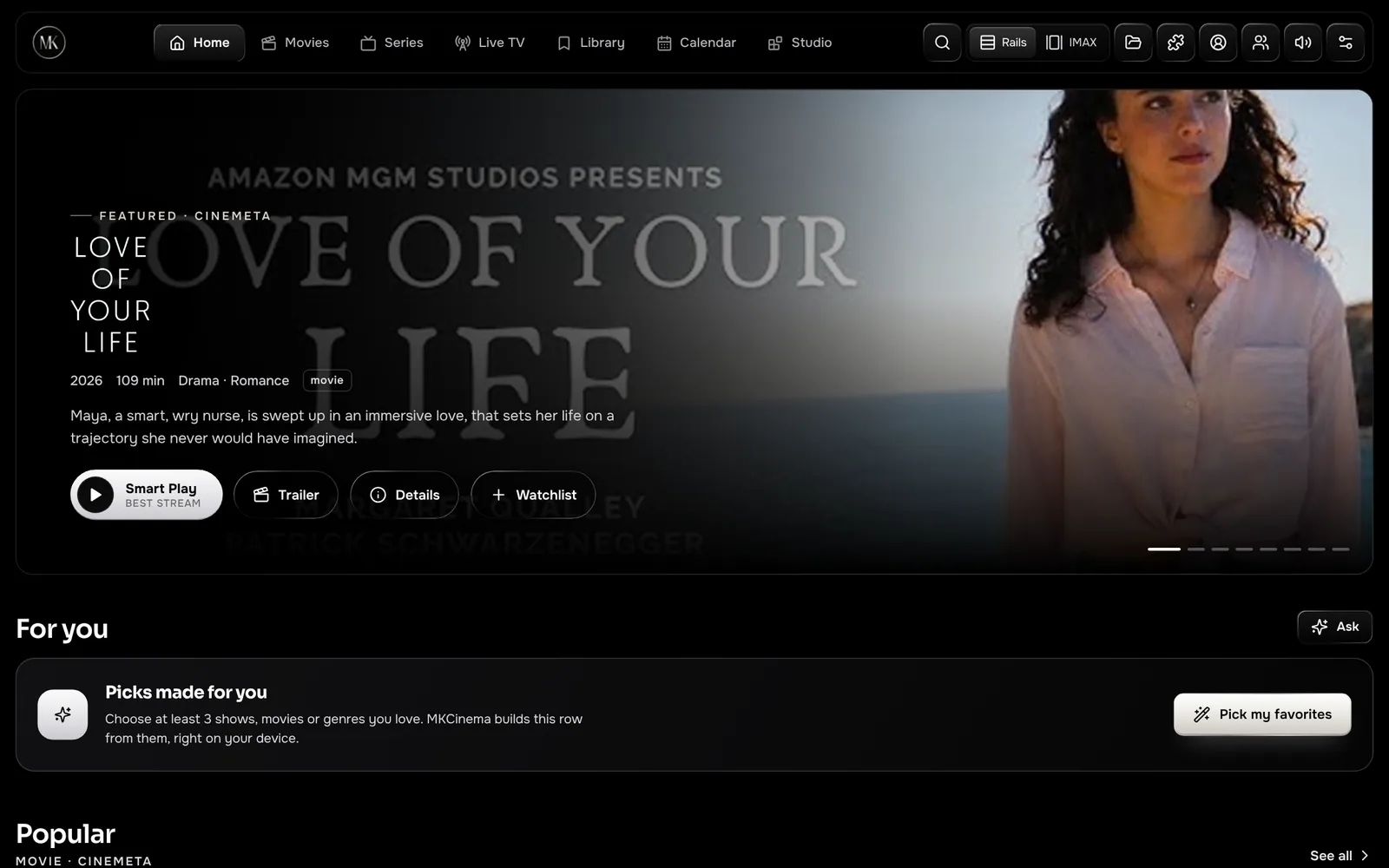
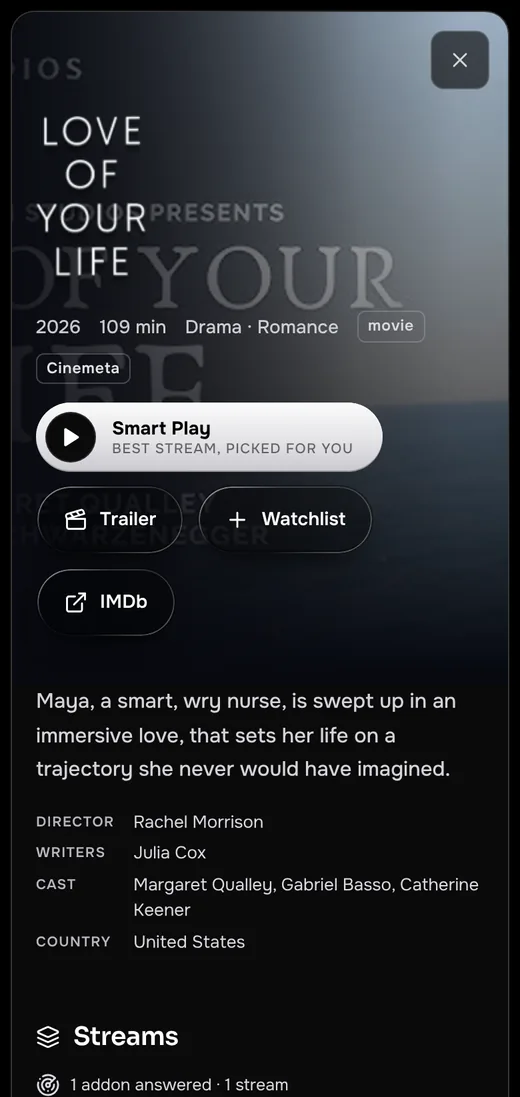
The premium addon player

Your addons.
A private cinema.

MKCinema plays the Stremio addons you choose in a matte-black cinema built for every screen. Debrid built in, one tap to VLC, watch parties, X-Ray and picks that never leave your device.

Free, no ads Open source No account needed
Download the app On a TV? Get the Smart TV app. Linux without apt? Get the .tar.gz. Install help is in Download.

Works with the services you already use

Stremio addonsAny debrid serviceVLCmpvTraktSimklIMDb ratingsOfficial trailersWikipedia for X-Ray
Everything, in one place

Built like a flagship.
Runs on everything.

Every feature here ships in MKCinema today, in every app and in the browser. No upgrade tier, no ads, no account needed to try it.

Your addons, your rules

Install any Stremio addon by link, reorder them, and see results from each one the moment it answers. MKCinema ships no catalogue of its own, so what you watch is always your choice.

Stremio addon compatible

Debrid built in

Bring your own key from whichever debrid service you already use. Cached results are marked ⚡ and play straight in the browser.

One tap to VLC

Hand any stream to VLC, Infuse, MX Player, mpv, IINA or PotPlayer. MKCinema only lists players your device supports.

VLCmpv

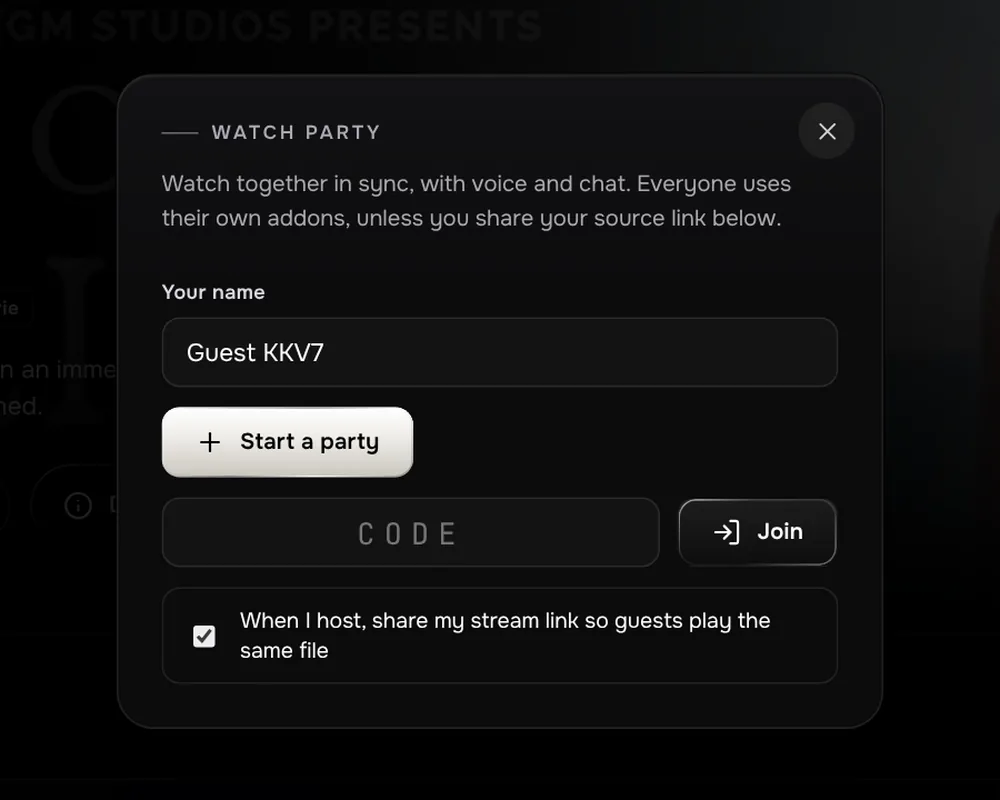
Watch party

Share a six-letter room. Play, pause and seeks stay in sync, with chat, reactions and push-to-talk.

X-Ray

Pause for a second to see the cast, actor bios, release facts and the picture and sound details.

WikipediaIMDb

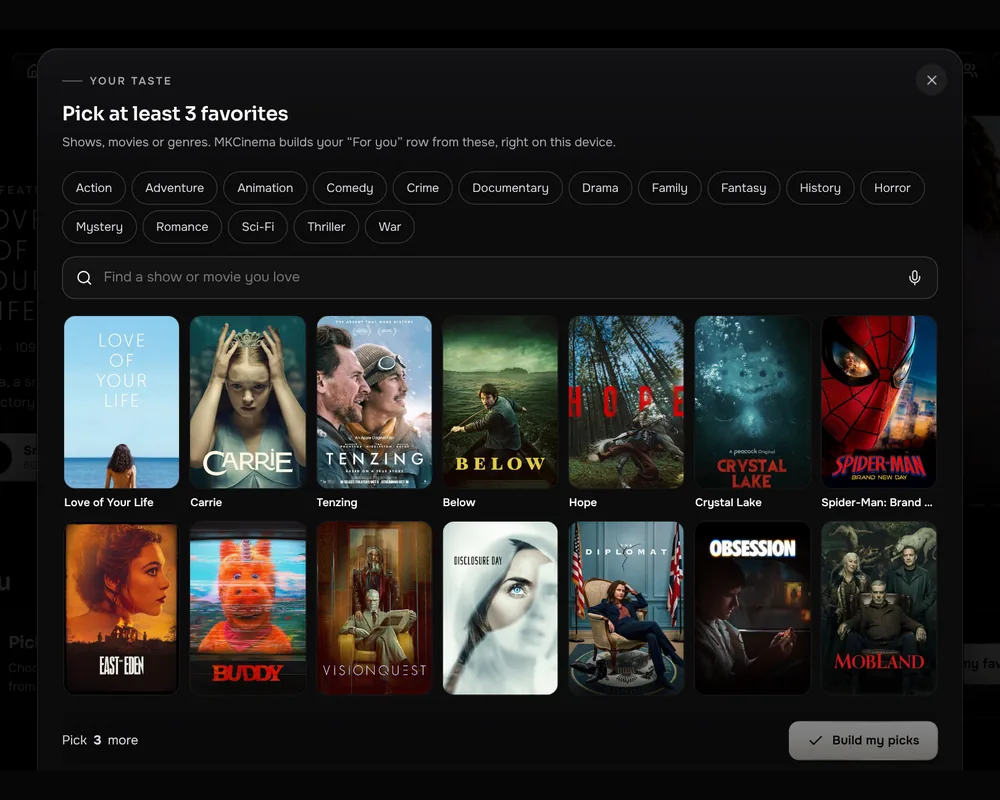
Your Picks

A For you row built from your favourites and history. Ask in plain words, like "funny crime series". It all runs on your device.

Sync everywhere

Sign in with email to carry your library, progress, addons and settings to every device you use. Scrobble to Trakt or Simkl too.

TraktSimkl

Browser only mode

Can't install a player? MKCinema lists only the sources your browser can play with picture and sound.

Skip Intro and next episode

Skip intros and credits, and get a 10-second countdown to the next episode while its sources warm up. If a source stalls, MKCinema moves to the next one by itself.

Your phone as a remote

Scan a code and your phone becomes a trackpad with volume, skip, audio presets and subtitles. Or send what you're watching to your phone at the same second.

The player

A screening room,
not a video tag.

MKCinema's player was built for long nights on the sofa and quick episodes on a train.

  • Night Mode audio. Brings whispers and explosions closer together, with Vocal Boost and Spatial Widen presets.
  • Subtitles that fit. OpenSubtitles built in, your own files by drag and drop, and a sync strip you drag into place.
  • Made for touch. Double-tap to skip, pinch to fill, a lock button, and controls that stay clear of the notch.
  • Audio rescue. With your own MKCinema server and ffmpeg, Dolby and DTS sound in MKV files plays in the browser.
Watch together

Same scene,
different sofas.

Start a party, share the code, and everyone watches the same title from their own sources. Drift is corrected quietly, so nobody hears the punchline first.

  • Play, pause and seek in sync for the whole room.
  • Chat, reactions and push-to-talk, peer to peer.
  • No extension or extra app to install.
Private by design

Your taste
stays yours.

Your Picks learns what you like inside your browser. No outside AI service ever sees your watch history.

  • Keys in your own row. Debrid keys sync only to your account, which row-level security lets only you read. You can keep them on one device instead.
  • No account required. Try everything first. Sign in only when you want sync.
  • No tracking ads. MKCinema is supported by donations, not by selling your attention.
Why MKCinema

More cinema,
less setup.

Most addon players stop at play and pause. Here is what MKCinema adds on top, all of it built in.

FeatureMKCinemaTypical addon player
Stremio addonsInstall by link, results as each addon answersBuilt inYes
Apps for Android, Smart TVs, Windows, Mac and LinuxPlus the same full app in any browserEvery oneVaries by platform
Open sourceEvery line public on GitHub, GPL-3.0YesOften closed
Debrid settings in the appWorks with the major debrid services, with a Test buttonBuilt inSet up inside each addon
Watch partySynced playback, chat and voiceBuilt inNeeds a separate extension
X-Ray while pausedCast, bios, release facts, picture and sound detailsBuilt inNo
Personal recommendationsPlain-language requests, computed on your deviceOn-deviceNo
Browser only modeHide sources your browser can't play with soundBuilt inNo
Automatic source failoverMoves on when a source has no picture or stallsBuilt inPick another by hand
Night Mode audio presetsCompressor, vocal boost, spatial widenBuilt inNo
Open in VLC and other playersOnly the players your device supportsBuilt inVaries by platform

"Typical addon player" describes the common baseline, not any one product. Casting to Chromecast is not part of MKCinema yet; on a TV, open MKCinema in the TV's browser or hand the stream to an app like VLC.

Coming from Stremio?

Bring everything
in one step.

Settings › Account › Import from Stremio copies your library, watch progress and addons, keys included. MKCinema signs in once, reads the data and signs that session out. Your password is never stored.

Get started

Three steps
to opening night.

Open MKCinema

Visit mkcinema.pages.dev and pick a few favourites. Sign in with email if you want sync.

Add your sources

Install the Stremio addons you use from the puzzle icon, or import them from Stremio. Official trailers work out of the box.

Connect debrid and a player

Optional. Settings › Get started walks you through adding the debrid service you use and a player like VLC.

Download

MKCinema,
on every screen.

Free apps for Android, Android TV, Fire TV, Windows, Mac and Linux, or the full app in any modern browser. Sign in once and your library follows you everywhere.

Available now

Android

The full app for phones, tablets and Android TVs, with a full-screen player and one-tap hand-off to VLC.

Download APK Version 1.1 · 185 KB · Android 7 or later
Available now

Windows

MKCinema in its own window, with your library, addons and sign-in kept between sessions.

Download .exe Version 1.0 · 2.8 MB · Windows 10 or 11, 64-bit
Available now

Mac

A native window built on the WebKit in macOS, with the menu bar, full screen and keyboard shortcuts you expect.

Download .dmg Version 1.0 · 1.5 MB · macOS 11 or later, Intel and Apple silicon
Available now

Linux

A lightweight WebKitGTK app with a launcher entry and icon. Ubuntu, Debian, Mint, Fedora and more.

Version 1.0 · x86-64 · needs WebKitGTK 4.1
New

Smart TV

The cinema on the big screen. Browse with your remote's arrows and OK, Back closes what's open, and play, pause and skip work from the remote's media keys.

Android TV & Fire TV LG webOS .ipk (beta) Version 1.1 · 185 KB · Android TV 7 or later. On Fire TV, open Downloader and enter mkcinema-site.pages.dev/tv
How to install on Android
  1. Tap Download APK on your Android device.
  2. Open the downloaded file from the notification or your Downloads folder.
  3. If Android asks, allow your browser to install unknown apps, then tap Install.
  4. Open MKCinema from your home screen. Sign in and your addons, library and settings come with you.

MKCinema isn't on Google Play yet, so Android warns about apps installed from outside the store. Only download the APK from this page.

How to install on a TV
  1. Fire TV: install Downloader from the Amazon Appstore. In Settings › My Fire TV › Developer options, allow Downloader to install unknown apps. Open Downloader, enter mkcinema-site.pages.dev/tv and tap Install.
  2. Android TV and Google TV: install Downloader from Google Play, allow it under Settings › Apps › Security › Unknown sources, then enter mkcinema-site.pages.dev/tv. You can also copy MKCinema-TV.apk over with a USB stick and open it with a file manager.
  3. MKCinema shows up in your TV's apps row. Sign in and your addons, library and settings come with you.
  4. LG webOS (beta): LG only installs apps from its own store, so the .ipk needs the TV in Developer Mode (LG's Developer Mode app and the webOS CLI) or Homebrew Channel.

Samsung TVs aren't supported yet: Samsung only installs apps signed through its developer program. On any TV, VLC works best for playing streams.

How to install on Windows
  1. Click Download .exe and open MKCinema.exe. There is no installer; it runs straight away.
  2. If Windows shows Windows protected your PC, click More info, then Run anyway.
  3. Move MKCinema.exe anywhere you like and pin it to the taskbar or Start.

MKCinema uses Microsoft Edge WebView2, which comes with Windows 10 and 11. If it's missing, MKCinema offers Microsoft's download page.

How to install on Mac
  1. Open MKCinema-1.0.dmg and drag MKCinema onto Applications.
  2. Open MKCinema from Applications. The first time, macOS says it can't check the app for malware; click Done (or OK).
  3. Open System Settings › Privacy & Security, scroll down and click Open Anyway next to MKCinema, then confirm.

This happens because the Mac app isn't notarized by Apple yet. You only need to do it once.

How to install on Linux
  1. Ubuntu, Debian, Mint, Pop!_OS: download the .deb and run sudo apt install ./mkcinema_1.0_amd64.deb, or open it with your software centre.
  2. Fedora, Arch and others: install WebKitGTK 4.1 (sudo dnf install webkit2gtk4.1 or sudo pacman -S webkit2gtk-4.1), unpack the .tar.gz and run ./install.sh.
  3. Find MKCinema in your app menu. Ctrl+Q quits, F5 reloads.

Rather not install anything? Open MKCinema in your browser

Open source

Nothing hidden.
Every line public.

MKCinema is open source under the GPL-3.0 license. Read exactly how your keys and data are handled, build the apps yourself, report a bug or send an improvement.

itbelikethatbruh / MKCinemaGPL-3.0
  • app/The web app, server and debrid relay
  • site/This website
  • android/Android app
  • windows/Windows app
  • mac/Mac app
  • linux/Linux app
  • LICENSEGNU General Public License v3.0
FAQ

Questions,
answered.

What is MKCinema?
A premium web player for Stremio-compatible addons. It brings your catalogues, sources and subtitles together in one library, with a player built for phones, tablets and big screens.
Does MKCinema provide movies or shows?
No. MKCinema hosts no titles, channels or streams. Catalogues come from Cinemeta, subtitles from OpenSubtitles, and the only built-in source is official trailers. Anything else comes from addons you choose to install, and you are responsible for using them lawfully where you live.
Is it free and open source?
Yes to both. Every feature is included, with no ads and no paid tier, and the code is public on GitHub under GPL-3.0. If you enjoy it, you can support development with an optional PayPal donation.
Do I need an account?
No. Everything works without one. Signing in with email and password adds sync of your library, progress, addons and settings across your devices.
What is debrid, and which service should I use?
A debrid service fetches files for you and streams them back over a fast, direct connection. MKCinema works with the major debrid services using your own key, so use whichever you prefer. Settings › Get started walks you through adding it.
Why do you recommend VLC?
Browsers can't decode some common formats, such as HEVC video or Dolby and DTS sound. VLC plays nearly everything, and MKCinema hands a stream to it in one tap. If you can't install a player, turn on Browser only mode.
Where are my keys stored?
In your browser, and, if you sign in, in your own account row, which row-level security keeps readable only by you. Turn off Sync keys with my account in Settings › Debrid to keep them on one device. Keys are only ever sent to the service they belong to.
Which devices does MKCinema run on?
Android phones and tablets, Windows 10 and 11, macOS 11 or later, and 64-bit Linux all have their own app above. Any other computer can use it in Chrome, Edge or Firefox. iPhone and iPad are not supported. On a TV, open it in the TV's browser, or hand streams to VLC or Infuse. Chromecast casting isn't built in yet.
Are the downloads safe?
Every app is MKCinema itself, opening mkcinema.pages.dev in its own window, and its full source is on GitHub. The APK is signed with MKCinema's own key and only asks for internet access and, for push-to-talk in watch parties, your microphone. The Windows and Mac apps aren't code-signed by Microsoft or Apple yet, so each asks you to confirm the first time (see the install steps above). Download them only from this site or the GitHub repository.
Can I move over from Stremio?
Yes. Settings › Account › Import from Stremio copies your library, progress and addons. Your Stremio password is used once and never stored.

The lights are dimming.

Open MKCinema now. It takes seconds, and your seat is already waiting.

Support

Keep MKCinema free

MKCinema is made by Drake Christopher, with no ads and no paid tier. If it's become your favourite way to watch, a PayPal donation of any size keeps it growing.
Donate with PayPal